Catch drift in the pull request, the Figma file and the agent.
Every integration reads the same tokens from your repo, so a value gets the same answer everywhere.
Install on GitHubGitHub App
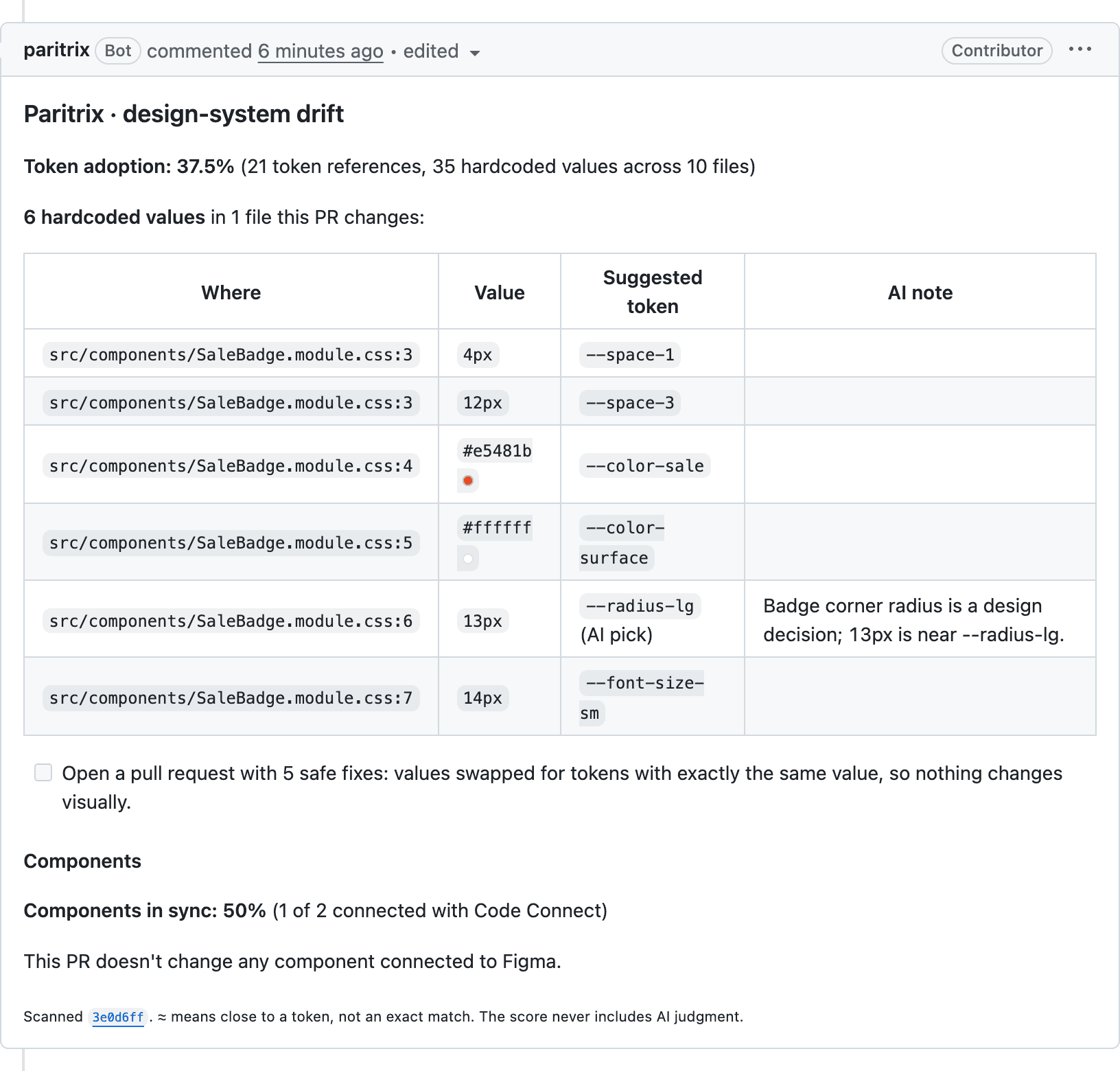
The core. It scans your repos and comments on pull requests.
- Scans on install, on every push to your default branch and on every pull request.
- One comment per pull request, updated on each push, about only what it changed.
- Fix pull requests for exact matches when you tick the box. It never pushes to your branches.
- Reads code, Code Connect files and your deployed Storybook. Never builds or runs your code.
Figma plugin
Drift starts in the file too. See it where designers work, and in Dev Mode.
Coming to Figma Community
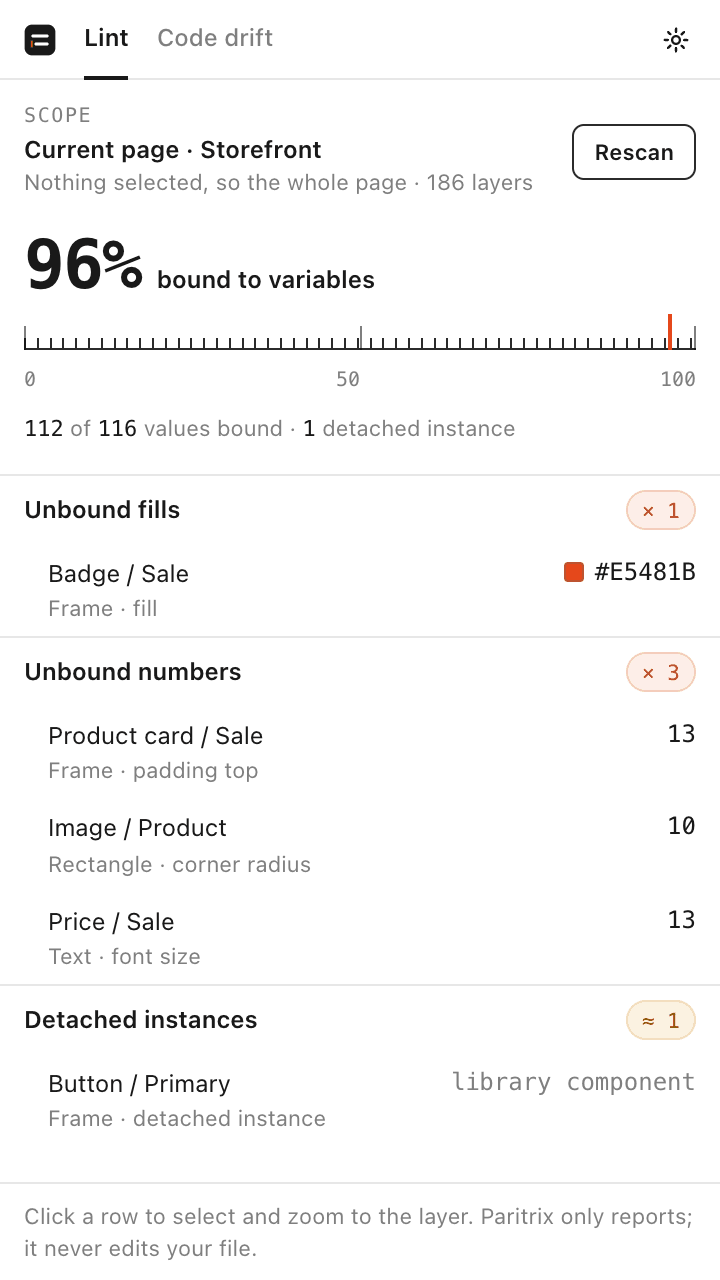
Lint
Values not bound to a variable and detached instances; click a row to jump to the layer. No account needed.
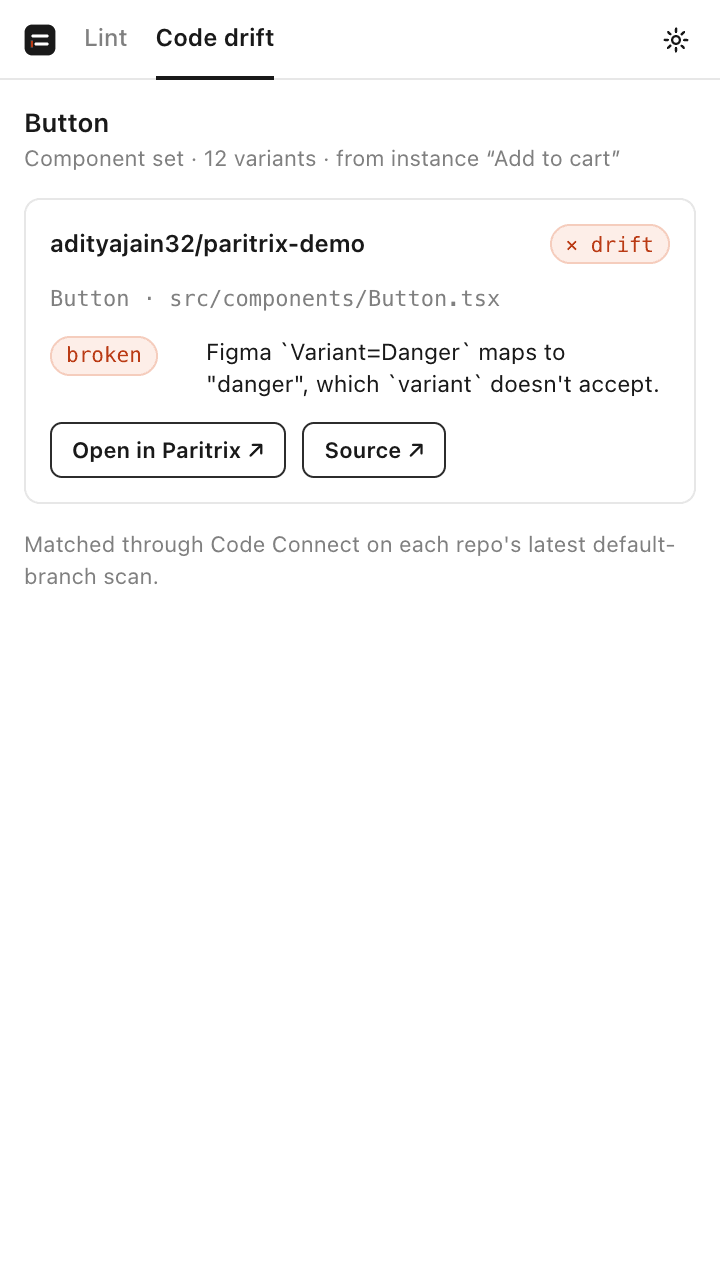
Code drift
Every repo that ships the selected component: in sync or drifting, and why.
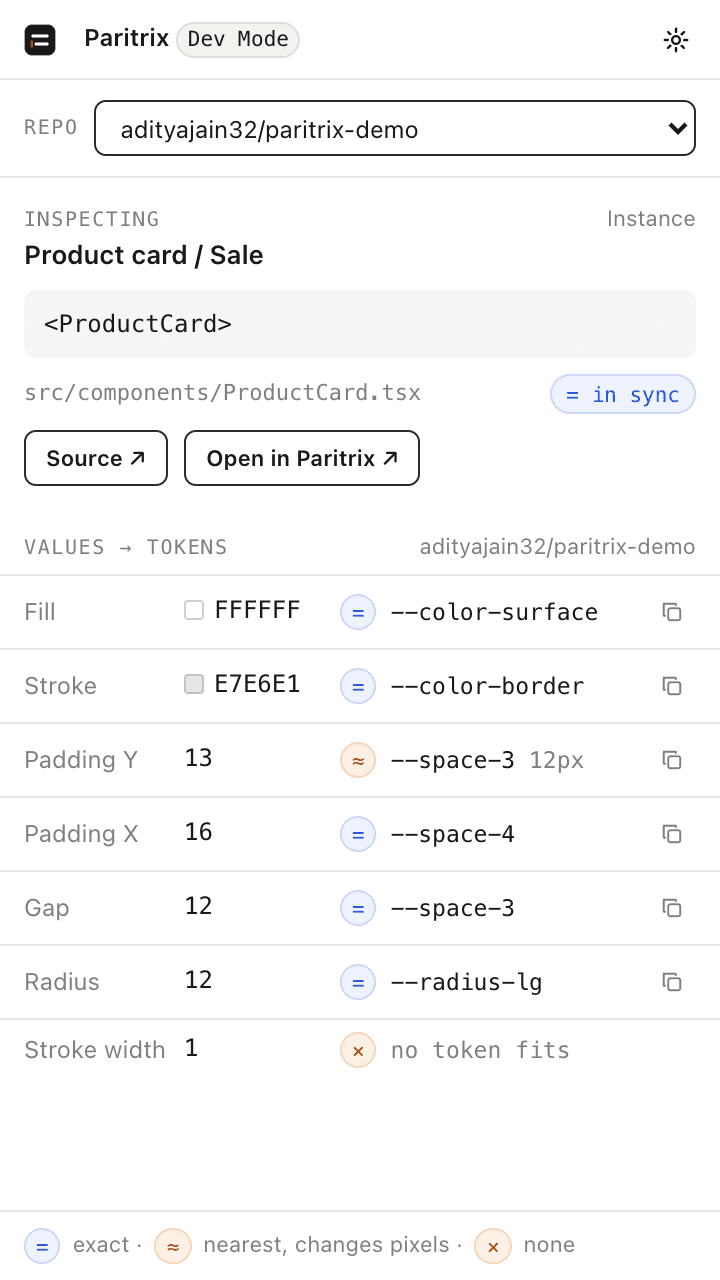
Dev Mode
The code component to use and the repo token for each fill and size.
It reports in Figma; fixes happen in code. Code drift and Dev Mode use an API token.
MCP connector
Claude Code and Codex
The agent uses your tokens while it writes, before any pull request exists.
Remote: your repos' health, component drift and tokens from paritrix.com. Add it by URL, then sign in with GitHub in the browser; no token to paste.
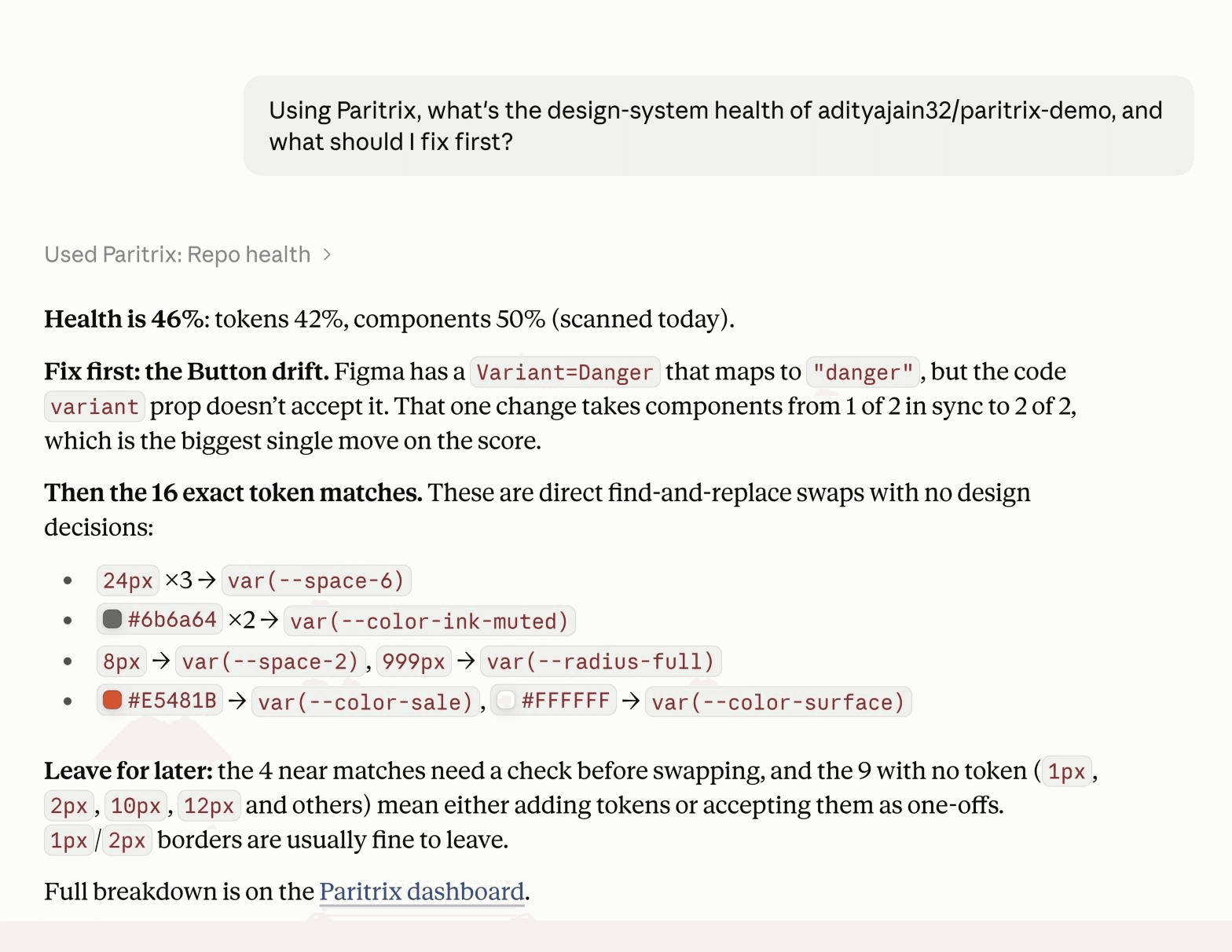
claude mcp add --transport http paritrix https://paritrix.com/api/mcpThen type /mcp, pick paritrix, Authenticate. Your browser opens paritrix.com: sign in with GitHub, Allow.
Settings, Connectors, Add custom connector, then paste
https://paritrix.com/api/mcpThen Connect. Also listed in the Claude directory.
[mcp_servers.paritrix]
url = "https://paritrix.com/api/mcp"Then codex mcp login paritrix.
claude mcp add paritrix-local -- npx -y @paritrix/mcpNothing leaves your machine. Reads paritrix.config.json in your repo.
- check_code
- check_file
- suggest_token
- list_tokens
- design_rules
- repo_health
- component_drift
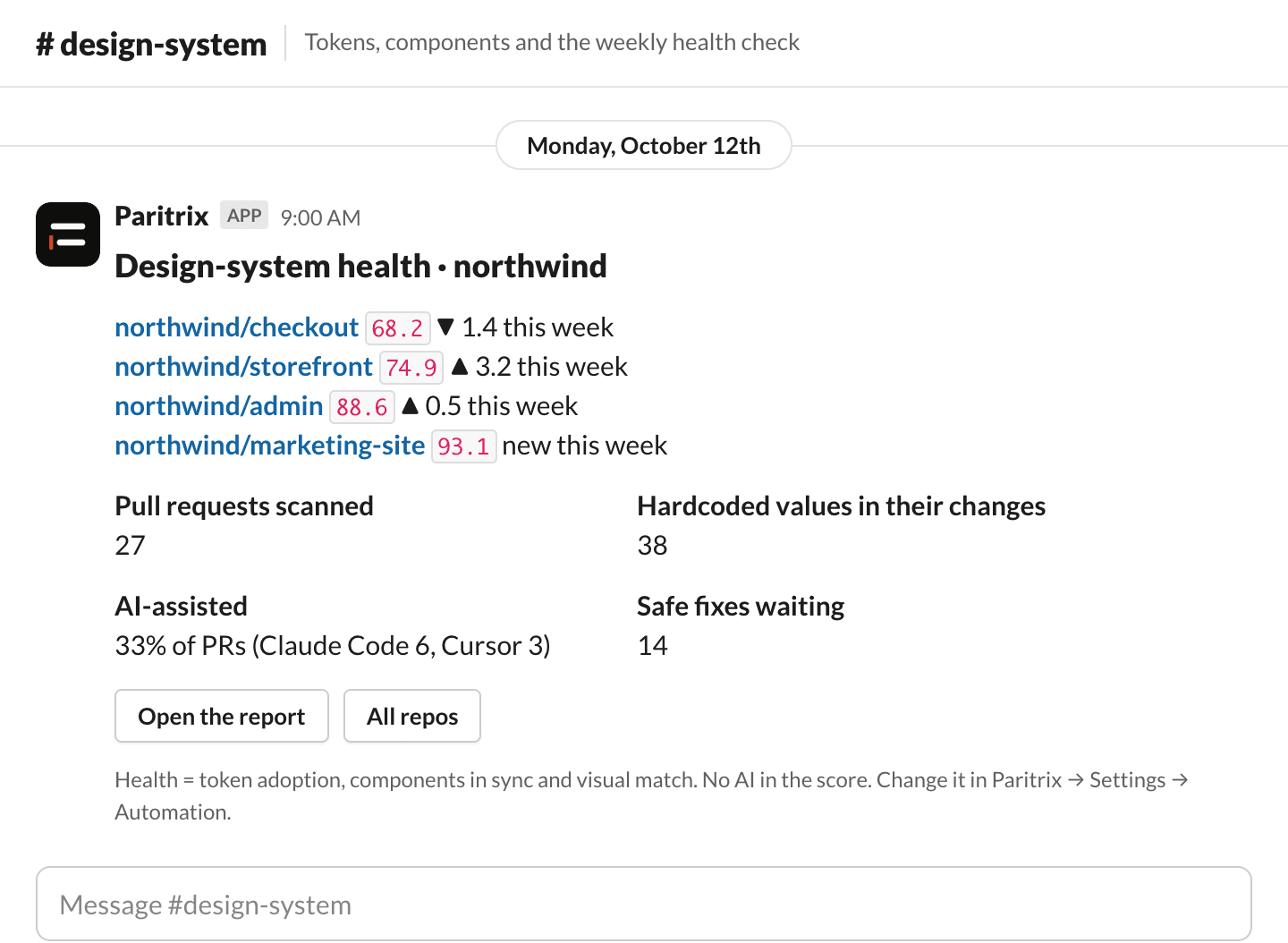
Slack digest
A Monday reminder for the channel that owns the design system.
- Health per repo with the week's change.
- Pull requests scanned and the hardcoded values they added, with the AI-assisted share.
- Safe fixes waiting, with links to the report and the repos.
Settings, Automation: paste a Slack incoming-webhook URL and tick Send every Monday, or send a test digest now.
Sign-in and API tokens
Connectors sign in with GitHub and appear in Settings, Connected apps, where you can revoke them. The Figma plugin's code drift and Dev Mode use a personal API token from Settings, API tokens: shown once, revocable, expires after 90 days, limited to the repos you can see.